
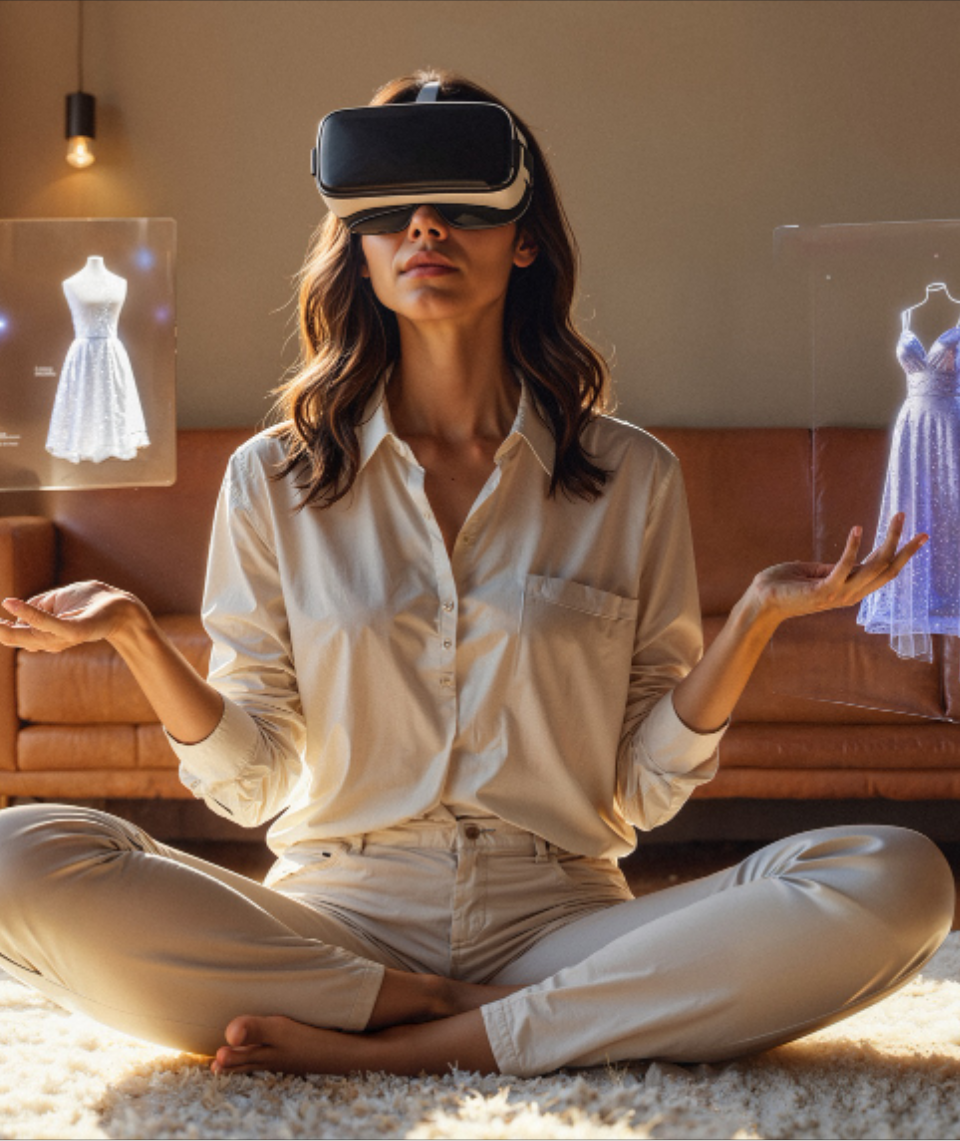
Metaverse Virtual Workspaces For Businesses

AI-Powered AR/VR &
Spatial Computing Development Services

Build immersive applications that connect real-time 3D, spatial data, AI, and enterprise systems.

We engineer AR, VR, MR, and spatial computing solutions for training, digital twins, field operations, and interactive workflows. From mobile AR and WebXR to immersive headsets, we help organizations move from concept to secure, production-ready experiences.

What Are Enterprise AR/VR & Spatial Computing Solutions?

Enterprise AR/VR and spatial computing solutions combine real-time 3D, augmented reality, virtual reality, mixed reality, spatial data and interactive software to connect digital information with physical environments.

AR overlays digital content onto the real world. VR places users inside fully virtual environments. Mixed reality allows digital and physical elements to interact, while XR is the broader category covering these immersive technologies.

Spatial computing extends the concept further by combining 3D environments, location, sensors, computer vision, enterprise data and AI so people can interact with digital information in the context of real spaces, products and operational workflows.

Spatial Computing
Goes Beyond Headsets

Modern immersive applications are no longer limited to displaying 3D content inside a headset.

Enterprise spatial applications can combine supported:

CAD & 3D ModelsBIM DataIoT SignalsCamerasSensorsLocation DataEnterprise APIsDigital TwinsAI & Computer Vision

to create contextual experiences around physical products, spaces and operational workflows.

Spatial Experience

Deliver information through mobile AR, browsers, tablets, smart glasses or immersive headsets depending on the use case.

Real-Time 3D

Create interactive environments, simulations and digital representations of physical products or spaces.

Spatial Intelligence

Use AI and computer vision development where the application needs to recognize objects, interpret environments or provide context-aware assistance.

Enterprise Connectivity

Connect immersive applications with supported IoT, CRM, ERP, PLM, CMS, data platforms and enterprise APIs via IoT integration for spatial applications.

Production Engineering

Design around performance budgets, device constraints, security, testing, deployment and observability from the beginning.

Measure the Outcomes Your
XR Experience Is Built to Improve

Every immersive project should define its success metrics before development begins.

Experience Performance

01
  • Frame rate
  • Load time
  • Crash-free sessions
  • Tracking stability
  • Interaction responsiveness
  • Device performance

Training & Learning

02
  • Completion time
  • Error rate
  • Assessment performance
  • Repeat training requirements
  • User adoption

Operational Workflows

03
  • Task completion time
  • Remote-assistance resolution
  • Inspection cycle time
  • Manual steps
  • First-time-fix performance

Customer Experience

04
  • Experience engagement
  • Product interactions
  • Session completion
  • Qualified inquiries
  • Conversion where measurable

Platform Operations

05
  • Application reliability
  • Content-update time
  • Device compatibility
  • Support incidents
  • Deployment frequency

Enterprise AR/VR &
Spatial Computing Solutions

01.

Augmented Reality Application Development

Build AR applications that overlay digital content, information or interactive 3D experiences onto the physical world.

  • Product visualization
  • Guided workflows
  • Indoor experiences
  • Interactive marketing
  • Location-based AR
  • Equipment visualization
  • AR navigation
  • Mobile AR
  • Web-based AR
Architectures can use supported mobile, browser and wearable technologies according to the required environment.
02.

Virtual Reality Simulation & Training

Create controlled immersive environments for training, simulation, learning and complex scenario rehearsal.

  • Workforce training
  • Equipment simulations
  • Safety training
  • Procedure rehearsal
  • Virtual classrooms
  • Skills assessment
  • Collaborative environments
  • Operational simulations
VR training should be measured against the actual learning or operational baseline rather than assumed to produce a universal improvement.
03.

Mixed Reality, XR & Spatial Applications

Build experiences in which digital content interacts with physical space and users.

  • Spatial workflows
  • Mixed-reality visualization
  • Collaborative experiences
  • Spatial interfaces
  • Interactive simulations
  • HMI experiences
  • Contextual data visualization
Platform and device selection should follow interaction, field-of-view, performance and deployment requirements.
04.

Digital Twins & Real-Time 3D Experiences

Create interactive digital representations of products, environments or assets. Supported spatial applications can connect 3D content with available: CAD • BIM • IoT • Sensor Data • Asset Data • Operational APIs

  • Design visualization
  • Facility visualization
  • Asset monitoring
  • Simulation
  • Sales experiences
  • Training
  • Operational dashboards
  • Remote collaboration
A digital twin should be defined according to the data and synchronization requirements of the actual project rather than using the term for every 3D model.
05.

Spatial AI & Computer Vision

Combine immersive applications with AI when the use case requires environmental or object intelligence.

  • Object recognition
  • Image recognition
  • Environment understanding
  • Visual inspection
  • Gesture interaction
  • Context-aware assistance
  • AI-guided work instructions
  • Conversational spatial assistants
AI should complement deterministic application logic rather than control critical workflows without appropriate validation.
06.

Industrial AR & Frontline Workforce Solutions

Give workers contextual information inside the environment where the work happens.

  • Step-by-step work instructions
  • Equipment maintenance
  • Quality inspections
  • Assembly assistance
  • Remote expert support
  • Field-service guidance
  • Knowledge transfer
  • Safety procedures
Applications can integrate supported 3D, IoT and enterprise information where appropriate interfaces are available.
07.

Immersive Commerce & Product Visualization

Help customers explore products and spaces before making a purchase or visit.

  • Virtual showrooms
  • Product configurators
  • Virtual try-ons
  • Furniture visualization
  • Automotive visualization
  • Property walkthroughs
  • Interactive catalogs
  • Immersive sales experiences
Commercial impact should be measured using the client's actual conversion, engagement or inquiry baseline.
08.

Cross-Platform XR & WebXR Engineering

Build immersive experiences across the appropriate combination of:

  • Web browsers
  • Mobile devices
  • Tablets
  • Headsets
  • Wearables
  • Supported spatial-computing devices
Use appropriate open standards and platform SDKs to reduce unnecessary platform dependency where project requirements permit.

Where AR/VR & Spatial Computing
Create Enterprise Value

1

Manufacturing (AR for manufacturing and frontline workflows)

  • Digital work instructions
  • Assembly guidance
  • Training
  • Inspection
  • Maintenance
  • Digital twins
2

Healthcare

  • Simulation
  • Training
  • Medical education
  • Patient visualization
  • Remote collaboration where appropriate
3

Automotive

  • Virtual showrooms
  • Vehicle configuration
  • Training
  • Design visualization
  • Maintenance assistance
4

Retail & E-Commerce (immersive commerce experiences)

  • Product visualization
  • Virtual try-ons
  • Interactive commerce
  • Immersive campaigns
5

Real Estate & Construction (virtual property experiences)

  • Virtual walkthroughs
  • Design visualization
  • Site experiences
  • Construction coordination
  • Property sales
6

Education & Training

  • Immersive learning
  • Simulations
  • Virtual laboratories
  • Skills practice
7

Field Service

  • Remote assistance
  • Maintenance guidance
  • Equipment information
  • Inspection workflows
8

Travel, Museums & Experiences

  • Interactive navigation
  • Cultural overlays
  • Virtual tours
  • Immersive destination experiences
9

Gaming & Entertainment (gaming and immersive entertainment solutions)

  • AI gaming
  • Multiplayer
  • LiveOps
  • Immersive gaming
  • Player intelligence

Architecture of a
Production Spatial Application

Experience & Device Layer

Mobile AR • WebXR • Tablets • Headsets • Wearables • Spatial devices

Interaction & Spatial Layer

Tracking • Anchors • Gestures • Controllers • Hand tracking • Scene understanding • Spatial mapping

Real-Time 3D Layer

Scenes • 3D assets • Materials • Animation • Physics • Digital twins

AI & Intelligence Layer

Computer vision • Recognition • Spatial AI • Conversational AI • Recommendations • Predictive models

Application & Business Layer

User accounts • Workflows • Permissions • Content management • Business rules

Integration & Data Layer

APIs • IoT • CRM • ERP • PLM • CMS • Databases • Asset platforms

Cloud & Edge Layer

Application services • Real-time communication • Data storage • Content delivery • Analytics • Edge workloads where required

Across Every Layer

Security • Identity • Performance • Observability • Privacy • Human Controls

XR Technology &
Platform Ecosystem

Technology selection should follow the experience, target devices, rendering requirements, interaction model and deployment environment.

We choose the XR stack around the use case—not the device hype cycle.

Real-Time 3D

Unity, Unreal Engine

Mobile AR

ARKit, ARCore

Web & Open XR

WebXR, OpenXR-compatible architectures where supported

Enterprise AR & CV

Vuforia and appropriate computer-vision technologies based on use case

Device Ecosystems

Architecture can target supported mobile, wearable and headset ecosystems according to project SDK and deployment requirements.

3D & Spatial Content

3D models, Animations, Textures, Spatial assets, CAD/BIM conversion workflows where required

Backend & Cloud

APIs, Real-time services, Authentication, Data platforms, Analytics, Content services, cloud and DevOps engineering

XR Performance
Engineering

Immersion Breaks When Performance Breaks

AR/VR applications have tighter runtime constraints than conventional web or mobile interfaces. Performance planning should begin during architecture.

Rendering Performance

Define appropriate frame-rate targets for each device and experience.

3D Asset Optimization

Control polygon complexity, textures, materials, animation and scene size according to device capabilities.

Memory & Thermal Budget

Design around memory, GPU, CPU and thermal constraints for the selected hardware.

Loading & Streaming

Optimize asset loading, scene transitions and content delivery.

Tracking Quality

Validate anchors, localization, object recognition and environmental tracking across representative conditions.

Network Performance

Evaluate real-time communication, multiplayer, remote assistance and cloud dependencies according to latency requirements.

Device Testing

Test on the actual target-device matrix rather than relying only on simulators.

Production Monitoring

Capture crashes, performance regressions, device issues and application-level telemetry where appropriate.

Security & Privacy
Engineering

Immersive applications can process account, camera, microphone, location, spatial and enterprise information. Security requirements should therefore be defined according to the application's actual data and risk profile.

Identity & Access

Authentication, SSO, Role-based access, Least privilege.

Application & API Security

Secure development, API protection, Threat modeling, VAPT.

Device Permissions

Manage access to: Camera, Microphone, Location, Storage, Sensors according to actual application requirements.

Spatial & User Data

Define appropriate collection, storage, retention and access controls for spatial maps, recordings and other application data.

Enterprise Integration

Secure connections with approved backend and enterprise systems.

Monitoring & Logging

Capture relevant application, API and security events.

Compliance Support

Engineering controls mapped to applicable privacy, security or industry requirements through immersive application security practices.

2-Week XR & Spatial Computing Discovery Sprint

Reduce uncertainty before committing to full production development.

The sprint is designed to clarify scope, architecture, risks and estimate assumptions before production delivery begins.

01

Use Case & User Journey

Define: Target users, Business workflow, Interaction goals, Success metrics, Accessibility requirements

02

Device & Platform Strategy

Evaluate: Mobile, Web, Tablet, Headsets, Wearables, Spatial platforms according to the experience and operating environment.

03

Content & Spatial Data Assessment

Review: 3D assets, CAD/BIM information, Environment data, IoT/data sources, Existing content, Required asset creation

04

Architecture & Integration

Define: Application architecture, Backend, APIs, Data flows, Enterprise integrations, AI requirements, Security

05

Performance & Risk Validation

Identify: Device constraints, Rendering requirements, Tracking risks, Asset complexity, Integration dependencies, Data requirements

06

Build Roadmap

Deliver: Solution architecture, Recommended stack, Device matrix, Content plan, Performance budget, Integration plan, QA approach, Delivery phases, Estimate assumptions

Immersive Engineering in Practice

Confidential Global Automotive Company

Business ChallengeNeeded a scalable way to showcase custom vehicle configurations in high fidelity to global buyers without physical inventory.
XR ExperienceVirtual showroom and real-time 3D configurator.
Device EnvironmentBrowser (WebXR) and Mobile AR.
Engineering ArchitectureUnity, WebGL, Cloud Content Delivery, API Integration.
Mobiloitte's WorkDesigned the 3D pipeline, optimized CAD models for real-time rendering, and engineered the cross-platform application.
OutcomeReduced rendering wait times and deployed an experience accessible on standard consumer devices.

Confidential Manufacturing Client

Business ChallengeHigh error rates and long onboarding times for complex assembly line procedures.
XR ExperienceAR-guided work instructions and digital twin overlays.
Device EnvironmentWearables and Tablets.
Engineering ArchitectureUnity, Spatial Anchors, Computer Vision, ERP Integration.
Mobiloitte's WorkEngineered an AR application that recognizes physical equipment and overlays step-by-step instructions synced with the backend ERP.
OutcomeDecreased assembly errors and accelerated new employee onboarding.

Confidential Real Estate Developer

Business ChallengeDifficulty selling off-plan properties using traditional 2D floor plans and static renders.
XR ExperienceImmersive VR walkthroughs and interactive property exploration.
Device EnvironmentVR Headsets and Touch Displays.
Engineering ArchitectureUnreal Engine, High-Fidelity Rendering, Analytics Backend.
Mobiloitte's WorkBuilt a fully navigable 3D environment with interactive material selection and lighting controls.
OutcomeIncreased buyer engagement time and accelerated off-plan reservations.

Frequently Asked
Questions

Mobiloitte can design and engineer augmented reality, virtual reality, mixed reality and spatial computing applications across discovery, experience design, architecture, real-time 3D development, backend integration, testing and deployment.
Augmented reality overlays digital content onto the physical world. Virtual reality replaces the user's visible environment with a digital one. Mixed reality allows digital and physical elements to interact. XR, or extended reality, is the broader category that covers AR, VR and MR technologies.
Spatial computing allows digital systems to understand and interact with physical space using technologies such as real-time 3D, computer vision, sensors, spatial mapping and interactive interfaces. It can be delivered through mobile devices, browsers, wearables or immersive headsets depending on the application.
No. Many enterprise experiences can operate through smartphones, tablets or web browsers. The device should be selected according to the user, environment, interaction requirements and business case.
Depending on project requirements, architectures may use technologies such as Unity, Unreal Engine, ARKit, ARCore, WebXR, OpenXR-compatible platforms and Vuforia. The final stack should be selected according to devices, performance, interaction and deployment requirements.
Neither is universally better. Selection depends on factors such as visual fidelity, target devices, existing assets, development environment, performance requirements and team capabilities. The engine should be selected after the experience architecture is defined.
Often, yes. Existing 3D or engineering assets may be converted and optimized for immersive applications where formats, licensing and asset quality permit. The assets normally require optimization for the target runtime and devices.
Yes, where supported interfaces are available. XR applications can connect with APIs, databases, IoT platforms, asset systems, CRM, ERP or other business platforms according to the project's integration architecture.
Yes. AI can support capabilities such as computer vision, recognition, visual inspection, conversational assistance, contextual recommendations and intelligent workflows. AI should only be used where it provides useful additional capability.
Performance engineering may include asset optimization, rendering budgets, memory management, scene optimization, loading strategies, device testing, tracking validation and network-performance testing according to the application.
Security can include authentication, access control, API security, encryption, device-permission management, threat modeling, vulnerability testing and appropriate logging depending on the application's data and architecture.
There is no universal project timeline. Duration depends on experience complexity, target devices, 3D asset requirements, integrations, spatial mapping, AI requirements, performance goals and testing scope. A discovery sprint can establish a more realistic delivery roadmap.
Cost depends on the target platforms, scenes, 3D content, interactions, integrations, device requirements, AI capabilities, testing and deployment model. A discovery phase should establish the architecture and estimate assumptions before production development.
Yes. An existing application can be assessed for issues involving code architecture, frame rate, asset complexity, loading, device compatibility, tracking, integrations or deployment pipelines before a remediation plan is defined.
Start Your Immersive Engineering Journey

Turn Physical Environments Into Interactive Digital Experiences.

Build an AR, VR or spatial computing application around a clearly defined business workflow—not around a device trend. We help you define the experience, select the platform, and create a practical path to production.